Showing posts with label HTML5. Show all posts

Saturday, 18 December 2021

Universe 4: User Interface

The Universe character browser has a very basic user interface. In addition to the HTML5 presentation, there is a URL scheme that allows you to jump to various subpages.

Landing Page

universe.html#

The landing page gives a brief introduction and a collapsible table of statistics. As with all pages, a header contains breadcrumbs and a footer lists some useful jumping-off points.

Codepoints

To examine a specific codepoint, expressed in hexadecimal between "0000" and "10FFFF" inclusive, use:

universe.html#U+<hex>

In this case, "#U+0040" examines "@". The subpage lists the block, column and codepoint details, as well as font support, UCD data fields and external links, where appropriate.

Planes

To list all 17 Unicode planes, use:

universe.html#P

To examine details of the plane containing codepoint "U+<hex>", use:

universe.html#P+<hex>

Sheets

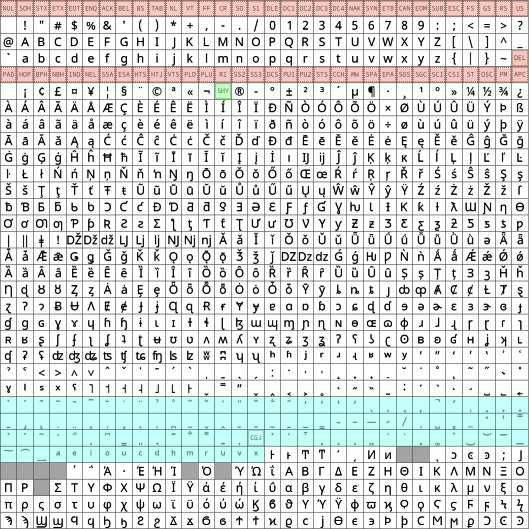
In this context, a "sheet" is a 32-by-32 grid of 1024 contiguous codepoints; it is how the Notoverse glyphs are organised.

To list all 161 sheets which contain allocated codepoints, use:

universe.html#S

To examine the sheet containing codepoint "U+<hex>", use:
universe.html#S+<hex>

Blocks

To list all 320 named Unicode blocks, use:

universe.html#B

To examine the block containing codepoint "U+<hex>", use:

universe.html#B+<hex>

This will list constituent codepoints, organised by column.

Columns

To examine just the column containing codepoint "U+<hex>", use:

universe.html#C+<hex>

This will list constituent codepoints in more detail.

Queries

To query the UCD for matching codepoints, use:

universe.html#<key>=<value>

The "<key>" can be:

  • One of the abbreviated UCD field names, such as "gc" or "na".
  • "id" to search the codepoint id (e.g. "U+0040").
  • "basic" to search the computed codepoint basic category.
  • "kind" to search the computed codepoint kind.
  • "script" to search the codepoint script list (see below).
  • "extra" to search NamesList.txt annotations.
  • "text" to search all the above.

The "<value>" can be simple text or a JavaScript regular expression in the form "/<expr>/<flags>". For example:

universe.html#na=/\bANT\b/i

This searches for codepoints whose name field contains the whole word "ANT" case-insensitively.

Scripts

Queries with the special key "script" search the fields "sc" and "scx". To query for the 29 codepoints of the Ogham script, use:

universe.html#script=Ogam

List all the 210 scripts of the ISO-15924 standard, use:

universe.html#script

Search

Queries with the special key "search" perform full-text searches. To bring up a search dialog, use:

universe.html#search

Gears

As mentioned earlier, loading the full UCD database and glyph sheets for the first time can take quite a few minutes. Searches can also take a few seconds. For long-running JavaScript functions, we display animated gears:

To keep the page responsive, we wrap the long-running functionality inside a call to the "Gears()" function in universe.js:

function Gears(parent, asynchronous, complete) {
  var gears = document.createElement("img");
  gears.className = "gears";
  gears.title = "Please wait...";
  gears.src = "gears.svg";
  parent.appendChild(gears);
  gears.onload = async () => {
    var result = await asynchronous();
    if (gears.parentNode === parent) {
      parent.removeChild(gears);
    }
    if (complete) {
      complete(result);
    }
  };
}

Inside the asynchronous, long-running function we have to make sure we periodically call "YieldAsync()":

function YieldAsync(milliseconds) {
  // Yield every few milliseconds 
  // (or every time this function is called if argument is missing)
  var now = performance.now();
  if (!YieldAsync.already) {
    // First call
    YieldAsync.already = Promise.resolve(undefined);
    YieldAsync.channel = new MessageChannel();
  } else if (milliseconds && ((now - YieldAsync.previous) < milliseconds)) {
    // Resolve immediately
    return YieldAsync.already;
  }
  YieldAsync.previous = now;
  return new Promise(resolve => {
    YieldAsync.channel.port1.addEventListener("message",
      () => resolve(), { once: true });
    YieldAsync.channel.port1.start();
    YieldAsync.channel.port2.postMessage(null);
  });
}

This was inspired by a much-underrated StackOverflow answer.

Monday, 13 September 2021

Machin Postage Stamps 2

Well, I thought I was being clever, didn't I? Using WebP images for Machin stamps. Alas, WebP has only recently been supported by Apple's Safari, so the web page didn't work at all on an older model iPad.

My original HTML was simply:

<img id="picture" class="shadow" src="machin.webp" />

And the source image path was accessed from JavaScript via:

document.getElementById("picture").src

The fix from Brett DeWoody is actually quite elegant. Change the HTML to use picture source sets:

<picture class="shadow">
    <source srcset="machin.webp" type="image/webp" />
    <img id="picture" src="machin.png" />
</picture>

And use the following to interrogate the chosen path after load:

document.getElementById("picture").currentSrc

Friday, 3 July 2020

Arm Clock

Seven-segment displays have long been used in digital clocks as they are a natural fit for LCD and LED technologies. There are even electro-mechanical displays for larger applications. However, for some reason I wondered if there was an alternative to flipping each segment in a binary fashion.

The ten digits are typically rendered in the following fashion:


If we want to produce these shapes using articulated arms (with each black segment being a "bone" and each grey dot being a "joint") we quickly see two constraints:
  1. There must be at least seven bones.
  2. The "root" of any arm must be located at one of the three right-hand pivot points.
If we further limit ourselves to the minimum number of bones (seven) it becomes apparent that we need at least two arms: try to manipulate a single seven-bone arm to make the "8" digit without breaking it.

I chose to use two arms: one rooted in the top-right corner with four bones (red), the other rooted at the middle-right pivot with three bones (blue):


By manipulating the angles between the bones, these two arms can fold themselves into any of the shapes making up the ten digits above:


If we wish to physically build this arrangement, there are two main problems to overcome:
  1. Bone are sometimes coincident (the joints fold back on themselves 180 degrees)
  2. The joint motors (or linkages) have to somehow fit in the arm bones
But these are merely robotics issues.

So we can theoretically create the shapes of digits to form a clock. But can we create some feasible transitions to animate it? If we assume a twenty-four hour clock, it turns out there are thirteen transitions we need to concern ourselves with:
  1. "0" → "1"
  2. "1" → "2"
  3. "2" → "3"
  4. "3" → "4"
  5. "4" → "5"
  6. "5" → "6"
  7. "6" → "7"
  8. "7" → "8"
  9. "8" → "9"
  10. "9" → "0"
  11. "2" → "0" (e.g. "23:59:59" to "00:00:00")
  12. "3" → "0" (e.g. "23:59:59" to "00:00:00")
  13. "5" → "0" (e.g. "23:59:59" to "00:00:00")
By manually fettling the angles of the arm joints, I came up with a fairly pleasing series of transitions that don't flail the arms too much, clattering them into adjacent digits.

The resulting web page uses CSS transitions to animate an inline SVG. Both the CSS rules and SVG elements are created programmatically in a fairly concise JavaScript script.


Monday, 18 May 2020

United Nations Flags

There are 193 full members of the United Nations. I've put together a web page animating between those flags based on the SVG images in Wikimedia Commons.


The process was:

  1. Curate the 193 state flags plus the flag of the UN itself.
  2. Construct 194 approximations of those flags using JavaScript and HTML canvas elements.
  3. Reorder those approximations into a loop of 194 transitions based on similarity.
  4. Encode the 194 animations.
  5. Create a web page to allow the user to explore the animations.
Of course, there are 194! ÷ 2 animations needed to get between any two flags directly, but that's such an absurd number I didn't even think about trying. I did think about creating "shortcuts" between flags in the loop and minimising the number of animations between two arbitrary flags to, say, 10, but this is still a huge amount of work. I'll leave it as an exercise for the reader to work out the total number of animations required to reduce the maximum number of hops to "N".

In an ideal world, I'd animate the high-quality SVG images themselves; but that's also a task for another day ... if ever.

Friday, 24 February 2017

Synthetic Phonics Audio Resources

Chilli recently volunteered to help adults learn and improve their English reading and writing skills. This meant having to teach herself about synthetic phonics.

Looking at the various free resources available on the web, it quickly became apparent that there wasn't a single page where you could easily listen to the forty-two phonic sounds using a nice clean interface. The BBC has an excellent interactive phonics tool, but it relies on Adobe Flash which makes it unsuitable for some devices.

Fortunately, the good folks at Jolly Learning Ltd have made available audio files that I've wrapped in a minimum of HTML5 for use on most devices (including iPads).


The forty-two sounds are divided into their seven groups and can be played with either a British or American accent: here.

Saturday, 16 July 2016

Blok Clok

When I was a boy, I was given a curious present: a perpetual desk calendar made from wooden cubes:
You can still buy them, so there must be some enduring appeal. The calendar interested me because of a strange quirk that isn't immediately obvious.

There are four blocks: one for the day of the week (with seven labels), two for the day of the month (1 to 31) and one for the month (with twelve labels). The "weekday" and "month" blocks are easy to label. For example, two months on each face fills the "month" block and, providing the container covers up the lower half of the block, all is peachy.

The two date blocks are a little more involved. Dates run from "01" to "31":

01,02,03,04,05,06,07,08,09,10,  
11,12,13,14,15,16,17,18,19,20,  
21,22,23,24,25,26,27,28,29,30,31

By inspection, we see that the only digits that appear twice on a single date are "1" and "2". However, if you sit down with a pencil and paper, it quickly becomes apparent that you'll also need two zeroes. That means that the following digits are required:

0,0,1,1,2,2,3,4,5,6,7,8,9

But, hang on! That's thirteen digits. Two cubes have only twelve faces between them. How do they fit? The clever "quirk" is that "6" and "9" occupy the same face; you simply flip the block around 180 degrees. This gives you the following faces for the two blocks:

0,1,2,3,4,5
0,1,2,6,7,8

This arrangement allows to you represent all integers between "00" to "32" inclusive; just enough! It's deceptively clever. And that's probably why I like my wooden perpetual calendar so much.

Fast forward several years, if not decades, and my current fascination with clocks led me to consider whether you could tell the time with a similar arrangement. I knew representing the hours would not be a problem: as we've seen, two blocks can represent all integers between "00" to "23" inclusive for a twenty-four-hour clock. But representing minutes is harder.

It is fairly obvious that you need at least three blocks to represent all integers between "00" to "59" inclusive. But are three sufficient? It turns out that they are; you don't even need to use the upside-down "9" trick. The solution uses an additional cube to display a colon between the hours and minutes digits. For example:

23:59

The "tens minutes" digit takes up a single block: "0" to "5" inclusive. So the problem simplifies to trying to represent the "units minutes" digit ("0" to "9") and a colon with two blocks. The following labelling is one solution:

:,0,1,2,3,4
:,5,6,7,8,9

Using three blocks to represent minutes between ":00" to ":59" inclusive can be repeated for the seconds. This gives us eight blocks:

  hours-a    0,1,2,3,4,5
  hours-b    0,1,2,6,7,8
minutes-a    :,0,1,2,3,4
minutes-b    0,1,2,3,4,5
minutes-c    :,5,6,7,8,9
seconds-a    :,0,1,2,3,4
seconds-b    0,1,2,3,4,5
seconds-c    :,5,6,7,8,9

Not only do the blocks need to rotate to any of their six faces (and in the case of "hours-b", the "6" sometimes has to be flipped to become a "9") but pairs of blocks also have to be swapped periodically:

hours-a <=> hours-b
minutes-a <=> minutes-c
seconds-a <=> seconds-c

Some extra fettling is needed to make the rotations aesthetically pleasing, but the result is a twenty-four-hour clock that twists and turns at a fair old lick.


Minimal Rotor Clock

The Rotor Clock I posted about last month is all very well, but there are a heck of a lot of moving parts: thirty-two rotors, each with ten faces. You could physically build it, but things would be a lot easier if there were fewer components. So I set about trying to reduce the number of rotors for a twelve-hour clock that displays the time as words.

The extreme (degenerate) case is a single rotor with 12 * 60 = 1440 faces. This would produce a working clock, but the rotor would need to be enormous (or the text very small). The next idea I had was a clock with two rotors: one for hours and one for minutes. You could repeat the twelve hours five times and make both rotors have 60 faces. This would still require very large rotors. Also, telling the time in a "natural" British English manner is quite tricky. Consider:

QUARTER TO TWELVE
TWELVE O'CLOCK
FOURTEEN MINUTES PAST TWELVE

The solution I came up with (which may not be optimal, but is possibly close) is to use four rotors, each with at most twelve words or phrases plus a blank face:

    Rotor A      Rotor B      Rotor C         Rotor D
    =======      =======      =======         =======
    THIRTEEN     ONE          O'CLOCK         ONE
    FOURTEEN     TWO          MINUTE PAST     TWO
    SIXTEEN      THREE        MINUTES PAST    THREE
    SEVENTEEN    FOUR         QUARTER PAST    FOUR
    EIGHTEEN     FIVE         HALF PAST       FIVE
    NINETEEN     SIX          QUARTER TO      SIX
    TWENTY       SEVEN        MINUTES TO      SEVEN
                 EIGHT        MINUTE TO       EIGHT
                 NINE                         NINE
                 TEN                          TEN
                 ELEVEN                       ELEVEN
                 TWELVE                       TWELVE

Note that rotor B is identical to rotor D.


This produces a clock that can tell the time as hoped for, but with the insertion of another blank face in rotor A and a bit of duplication in rotor C, I was able to reduce the number of large rotations quite considerably. This produces a series of relatively smooth transitions. The final rotors are organised thus:

    Rotor A      Rotor B      Rotor C         Rotor D
    =======      =======      =======         =======
    (blank)      (blank)      (blank)         (blank)
    THIRTEEN     ONE          O'CLOCK         ONE
    FOURTEEN     TWO          MINUTE PAST     TWO
    (blank)      THREE        MINUTES PAST    THREE
    SIXTEEN      FOUR         QUARTER PAST    FOUR
    SEVENTEEN    FIVE         MINUTES PAST    FIVE
    EIGHTEEN     SIX          HALF PAST       SIX
    NINETEEN     SEVEN        MINUTES TO      SEVEN
    TWENTY       EIGHT        QUARTER TO      EIGHT
    (blank)      NINE         MINUTES TO      NINE
    (blank)      TEN          MINUTE TO       TEN
    (blank)      ELEVEN       (blank)         ELEVEN
    (blank)      TWELVE       (blank)         TWELVE

If you look at the JavaScript code, you'll see that control of the rotors is via two data tables. This scheme lends itself to efficient compression. Indeed, a slightly cut-down variation of the clock can be compressed into a single 1017-byte HTML page (providing you're using a highly-compliant browser such as Google Chrome or Mozilla Firefox).

Sunday, 26 June 2016

Word Time 1KB

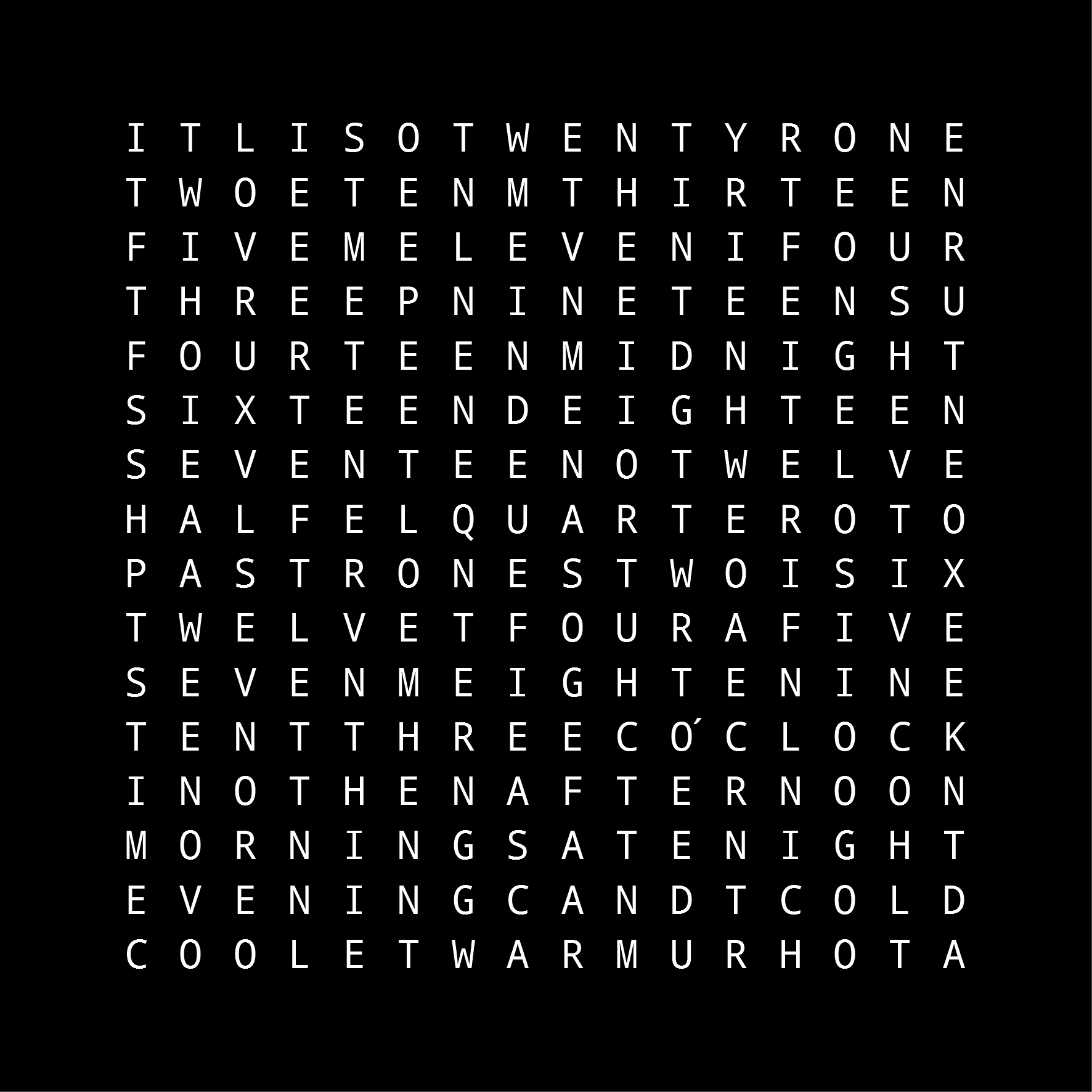
One of my inspirations for the Rotor Clock was the Instructables wordclock that tells the time (and temperature) based on a 16-by-16 grid of letters:


It looked very much like a puzzle to me, so I immediately set about trying to work out the minimum size of grid that could tell the time to an accuracy of one minute. I managed to get the grid down to 13-by-13:

TWENTYQUARTER
TWONETHIRTEEN
FOURTEENTHREE
SEVENTEENFIVE
TWELVEIGHTEEN
IDTENSIXTEENT
ELEVENINETEEN
MINUTESHALFTO
PASTBFOURNOON
MIDNIGHTWONED
THREELEVENSIX
FIVEIGHTENINE
SEVENZO'CLOCK

[I have a suspicion you can get it even smaller if you use tricks such as spelling words vertically; but, after a considerable amount of effort, I plumped for 13-by-13]

In my usual modus operandi, I then tried to optimise the heck out of the problem by hand and attempt to fit a solution into a one-kilobyte web page that works on Chrome, Firefox and Internet Explorer. For added frisson, I didn't allow myself to use non-ASCII characters nor the evil JavaScript "eval()" or its ilk. The result, World Time, takes up just 1023 bytes:


Here's a quick breakdown of the contents:

We can omit a large number HTML elements such as "DOCTYPE", "head" and "body" and dive straight into the style definitions, which are assumed by browsers to be CSS. We set all backgrounds to black, centre the table in the middle of the page and format each table cell so that a 13-by-13 grid takes up most of the viewport. The default text colour is set to very dark grey and a shadow effect is added to simulate "light bleed":


We then define a table that will hold the 169 grid characters and be accessed in the JavaScript via a identifier named "t". The string is split into 169 table cells (each one 10 characters of HTML) which are then divided into 13 rows:


Next we decode a 78-character string that has been btoa-encoded (so we adhere to our ASCII restriction). The 78 characters represent 39 pairs of offsets into the "t" grid. The first of each pair is the "start" offset (0 to 168); the second is the "end" offset plus one. These 39 pairs define tokens with even numbers identifying them thus:

           #00 = "O'CLOCK"
           #02 = "MINUTE"
           #04 = "MINUTES"
           #06 = "PAST"
           #08 = "TO"
           #10 = "HALF"
    #12 to #38 = "ONE" to "FOURTEEN" (upper portion)
           #40 = "QUARTER"
    #42 to #50 = "SIXTEEN" to "TWENTY"
           #52 = "MIDNIGHT"
    #54 to #74 = "ONE" to "ELEVEN" (lower portion)
           #76 = "NOON"

These 38 tokens constitute all the words used by the clock. See below for details of the call to "setInterval":


Next, we define a function "d()" that takes two arguments (the third argument declaration is just a short way of declaring a variable - see 140bytes for other such techniques), The first argument is the hour as an integer. The second argument is either "00" (the token for "O'CLOCK") or "" depending on requirements. The "d()" function therefore returns the hour as a string of two-digit tokens (e.g. "7400" for "ELEVEN O'CLOCK"). It has a special case for "MIDNIGHT" and "NOON" which never take the "O'CLOCK" suffix:


We define another function "g()" that takes an integer number of minutes (0 to 59) as its only argument. It returns a string of tokens representing the appropriate number of minutes as words (e.g. "(something) MINUTES" or "TWENTY (something) MINUTES", taking into consideration the exceptional cases for "ONE MINUTE", "QUARTER" and "HALF". Note that we're playing fast and loose with the type system here: the number 1202 will be converted to the string "1202" elsewhere in the program.


Next, we define an anonymous function (let's call it "storeColours") that takes one true argument ("b" is a local variable declaration again). This is called with the result of another anonymous function ("calculateColours") that takes three arguments: the current local hour, the current local minute and an empty dictionary. The "calculateColours" function constructs a full string of tokens that describe the current time. If the minute value is zero, we use the "d()" function to construct "MIDNIGHT", "NOON" or "(hour) O'CLOCK". If the minute value is less than or equal to thirty, it constructs "(something) PAST (hour)". Otherwise, if constructs "(something) TO (hour+1)". The string of tokens are split into two-digit numbers and looked up in the "s" table described above. For every letter in every word, "calculateColours" stores an HSL colour in the "c" dictionary keyed by the appropriate offset into the grid. The dictionary is then passed to "storeColours" which modifies the style text colour of each table cell in turn. Setting the colour to "" results in the text colour reverting to the colour defined in the CSS entry for "td" (i.e. very dark grey):


Finally, we invoke the "calculateColours" and "storeColours" function at most every 1000 milliseconds via the "setInterval" function mentioned above, and gracefully close the HTML tags.


A lot of the JavaScript compression came from Google Closure Compiler.

The result is a colourful clock that spells out the time in English words, uses a responsive HTML layout and takes the local timezone, changes in daylight savings and even leap-seconds into consideration.

UPDATE: 2016-06-29

I've managed to shave an additional ten bytes off the size and updated the page, but the structure and technique are essentially the same as above.

Sunday, 19 June 2016

Rotor Clock

There seems to be a bit of fad for clocks that spell out the time. There are even some online examples utilising a variety of languages. And jolly good they are too!

Spelling out the time in British English is fairly simple. Just take the local time and extract the minutes. If the value is less than thirty, express the time as

  (minutes) PAST (hour)

Otherwise, use

  (60-minutes) TO (hour+1)

There are some exceptional cases; if the minute value is zero, use

  (hour) O'CLOCK

Whereas minute values or 15, 30 and 45 are generally expressed as

  QUARTER PAST (hour)
  HALF PAST (hour)
  QUARTER TO (hour+1)

It turns out that, using the above scheme, the maximum number of characters needed to spell out the time is 32. For example:

  TWENTY SEVEN MINUTES PAST TWELVE

If we are a little bit lenient with the spacing between the words, we can prune the number of distinct characters in each position to ten (including space). This leads to an interesting configuration for a mechanical device that can spell out the time using 32 rotors of only 10 facets each.
With a little bit of CSS3 and HTML5, it's possible to produce a web page that brings such a device to life. If you further optimise the HTML, CSS and Javascript, you can present it in a single file of only 2191 bytes.

Friday, 1 January 2016

New Year, New Home Page

Once again I have succumbed to perceived peer pressure and re-vamped my website's home page. It's now been dragged, kicking and screaming, into the twenty-first century; but fear not Luddites, it's still essentially old school.

Sunday, 1 November 2015

Cocktail Chord Diagram

I've had the third and probably final instalment of my investigations into HTML 5 sitting on my hard disk for quite some time, so I've decided to bite the bullet, tidy it up and upload.

This experiment uses my JSON cocktail database to display a cocktail chord diagram. Chord diagrams have been very trendy in the last couple of years, to the point where I've seen them turn up as art exhibits in galleries and museums. I've always been very sceptical about how much information they actually convey, so I thought I'd experiment with the cocktail dataset.

I've grouped cocktail ingredients together in a fairly arbitrary manner and then pruned any group that is used in fewer than ten of the 289 cocktails. The width of a chord between two ingredient groups is proportional to the number of cocktails in the database that uses both groups.

It turns out that these diagrams are quite tricky to make aesthetically pleasing, especially the order and form of the chords (see the JavaScript if you're curious).


The result is mildly gratifying, but I'm still not convinced about these diagrams' utility, so I didn't spend a huge amount of time tweaking it.

Wednesday, 23 April 2014

Cocktail Transitions

Continuing my use of a JSON database of cocktails as a launch-pad for investigations into (fairly) recent HTML features, I've been looking at CSS3 transitions.

They're fiddly blighters and the rendering efficiency of different browsers varies appallingly, but they're interesting to play with.

Saturday, 22 February 2014

Cocktail Venn Diagram

Many years ago, I worked on a project that involved creating a nice, clean database of alcoholic cocktails. That project never came to fruition, so the database has been languishing unused ever since. But then, on a Friday evening at work, we were discussing humorous data presentations whilst drinking cocktails. The two topics melded into an obvious question: "Has anyone done a Venn diagram of cocktails?"

The answer, according to Google Images, was "No!"

Then I remembered my under-used dataset, so I set to work coming up with some kind of Venn (or Euler) diagram. It turns out that these little blighters are quite difficult to construct beyond about four overlapping sets. Indeed, it is still a fairly active area of academic research.

I took my database of 289 drinks, and found the most common ingredients:
  1. vermouth (sweet and dry),
  2. gin,
  3. rum (dark and light),
  4. whisky,
  5. vodka,
  6. lemon juice,
  7. bitters (including Angostura),
  8. lime juice,
  9. orange juice, and
  10. brandy (including cognac)
I had planned to draw a diagram of those top ten ingredients, but quickly pruned it down to the six main, base spirits:
  1. vermouth,
  2. gin,
  3. rum,
  4. whisky,
  5. vodka, and
  6. brandy
This still turned out to be frustratingly difficult. But after an evening at the kitchen table with pencils and copious amounts of scrap paper, I came up with this:


It's almost symmetrical with the fortuitous but curious fact that no drink in my database contains both vodka and whisky.

A bit of time spent with Inkscape, JSON, HTML5 canvases and JavaScript allowed my to come up with an interactive web page demonstrating these intersections.

Friday, 27 December 2013

Skeleton Alphabet 5

It's been a year and a half since my last post concerning Ann Camp's skeleton alphabet. But with a bit more time on my hands over the holidays, I thought I'd revisit it and add an interactive twist:


Again, there's no kerning and it's only been tested with Microsoft Internet Explorer and Google Chrome.

Saturday, 3 August 2013

Morphing Clock

Whilst working on the morphing animations of my Tube demo, I kept stumbling across references to the JS1K competition. As its name suggests, this is all about getting as much as possible out of only 1024 bytes of JavaScript. By comparison, the dataset required for Tube is enormous, but I experimented with something more tractable: Clock


And I've still got seven bytes spare...